A cyclic execution issue was identified in the webhook service when the webhook destination was set to the Authvia Trigger API to create a business process, and the webhook type was configured as business_process:create or business_process:update. This document details the implemented solution to prevent infinite loops by introducing an origin header and execution checks.
Problem
When a business process is created or updated, it triggers the webhook to receive business process create or update events.
Suppose the webhook's destination is the Authvia Trigger API URL configured to create a business process. In that case, the webhook initiates a call to that destination, creating a new business process.
This new business process creation triggers the webhook again, leading to an endless loop of webhook executions on business process creation or update events.
Solution
Each service invocation now includes a unique identifier in the request headers.
The system checks if the unique ID originated from the current service URL.
If the unique ID is detected as originating from the current URL, the process halts to prevent recursive calls.
Additional Updates
autoDisableField Addition (2024-12-02) : Introduced the autoDisable field to enhance validation when creating webhooks for merchants.
Trigger Existence Validation (2024-12-13): Implemented validation to ensure the existence of a trigger for a merchant when the destination URL is set to Authvia Trigger.
These measures enhance system stability and prevent unintended recursive executions.
We have enhanced the Payment Method Action by adding support for the accountType parameter, enabling merchants to define restrictions for ACH account types.
Key Benefits:
Customized ACH Transactions: Merchants can now specify acceptable ACH account types, enhancing control over payment processing.
Improved Risk Management: By restricting certain account types, merchants can reduce the likelihood of payment failures and associated risks.
Please refer to the documentation for detailed implementation guidance. We encourage you to explore this new feature to enhance your workflow efficiency.
We have enhanced our Blueprints functionality by introducing the ability to cast parameters to :object or :array within a Blueprint payload.
Key Benefits:
Enhanced Data Handling: This feature allows for more flexible and precise data manipulation within your business processes.
Improved Payload Structuring: Casting parameters to objects or arrays enables better organization and utilization of complex data structures.
Please refer to the documentation for detailed implementation guidance. We encourage you to explore this new feature to enhance your workflow efficiency.
We are excited to introduce the Reminder Action feature, which will enhance user engagement and ensure timely follow-ups within your business processes.
Key Benefits
Schedule Reminders: Set up reminders to be sent during an ongoing business process, keeping users informed and engaged.
Improve Follow-ups: Ensure timely actions and responses by automating reminder notifications.
Please refer to the documentation for detailed implementation guidance. We encourage you to explore this new feature to enhance your workflow efficiency.
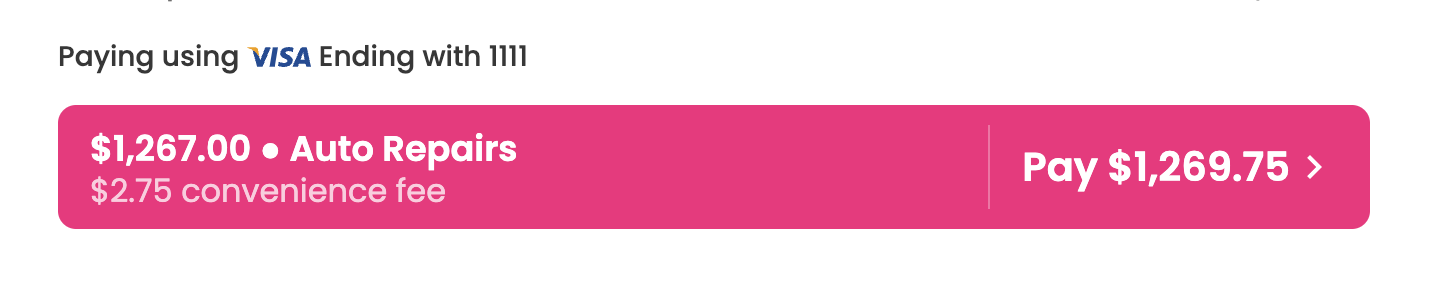
The default look and feel of the Payment Action will no longer include the table breakdown of the amount, description, and fees. Currently, this breakdown can be hidden by providing noDisplay: true in the Payment Action features, but this value will be defaulted to true going forward. This change comes with a visual update to move the description and adjustments into the button to ensure no important information is lost.
This is the current look and feel with noDisplay: false. Note the amount and description broken out above the payment button.
current (old)
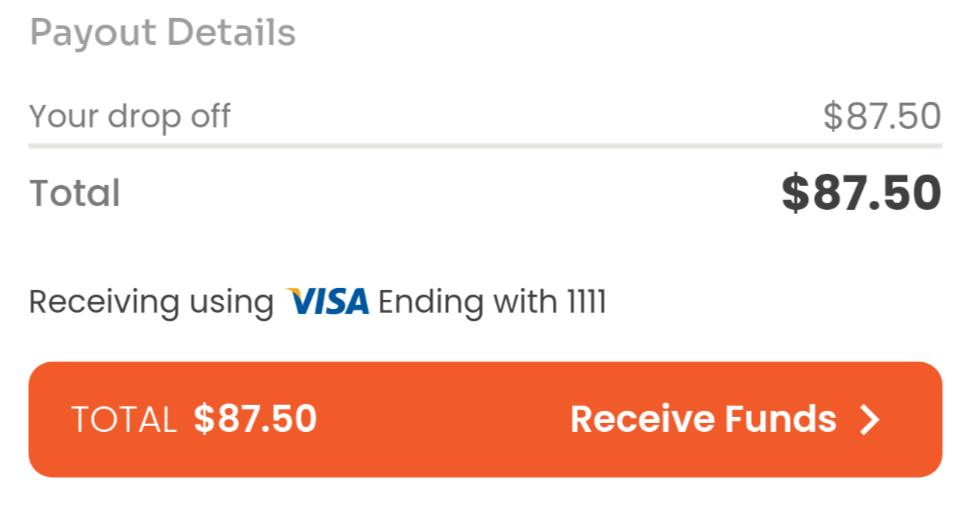
This is the new look and feel with noDisplay: true as the default. The total due and the description are within the payment button, and the line item breakdown has been eliminated.
new variant
This is the new look and feel with `noDisplay: true as the default. This example incorporates a Convenience fee.
new variant
📘
Merchant Branding
As a reminder, the merchant brand will determine the color of the button.
It is now possible to define a qualifier on an Account Product record to establish conditions on not just 'when' it can be used, but to simultaneously have it be 'preferred' when that condition is met. This is very useful for more complex cases where merchants want to do tender steering with payments or similar automation.
Example
Don't tokenize when single use
In this example the merchant has two payment products, ACH and Token and a tokenize product. It's not uncommon for tokens to come with a cost or logistical complication and in scenarios where payments are being forgotten, they won't want them tokenized. You can use a qualifier on the ACH payment product to indicate it should be used only when a payment method is declared as single-use.
A merchant could have two gateway processing partners that they would like to utilize. They would like all Visa, Mastercard and Discover payments to go to gateway 1, and AMEX to go to gateway 2. A qualifier for AMEX can be added to automate that steering.
In an effort to make our API more user-friendly, our pagination implementation has been standardized to facilitate usage from one endpoint to the next.
To navigate through paginated results, clients can follow the link provided in the X-LINK header, updating the pageKey parameter to the value specified in the X-PAGE-KEY header and maintaining the pageSize parameter as specified in the X-PAGE-SIZE header.
📘
Notes
The rel="next" attribute in the X-LINK header indicates that the linked URL is for the next page of results. Clients should use this link for subsequent requests to retrieve the next set of items.
The X-LINK header retains any query parameters from the previous request. This ensures continuity between paginated responses, maintaining the original query parameters in subsequent requests for accurate pagination and filtering.
Query params
Name
Description
pageSize
Specifies the maximum number of items to be returned in a single page of pagination. If a larger number is provided, it will be capped at 100. The minimum value is 1.
pageKey
This is used to go to the next page of results. It's best to use the x-link header and the 'next' definition, as we've assembled them for you
The schedule, expiration, status, and callback properties of a business process have more capabilities around being updated. These new features are available while updating or creating a business process.
Update Examples
Here are a couple of examples to help get the creative juices flowing.
{
"schedule": "5d", // business process publish, after 5 days from current time
"expiration": "48h" // expiration will be after 2 days from schedule time.
}
Status
📘
Not available for closed business processes
These properties cannot be modified once the business process is failed or resolved.
The status can be changed from scheduled to in-progress but not vice-versa. Changing it to in-progress will cause the business process to execute immediately (there may be up to a 10-minute delay).
You can continue to change a business process from in-progress to either resolved or failed.
Schedule
You can only update the schedule property if the business process is not in-progress, meaning the businessProcess.status must be scheduled.
scheduled can be updated to allow duration like (5d or 48h) d = day, h = hour or a point in time (timestamp).
You cannot pass a timestamp that's in the past. It must be greater than the current time; otherwise, an error will be returned.
You cannot pass a timestamp after the expiration date provided. It must be greater than the current time but lesser than the expiration time; otherwise, an error will be returned.
You cannot pass a timestamp or duration greater than 365 days from the current time or business process createdOn time.
scheduled allows you to zero out or put any time within 10 minutes of the current time (after the current time) to cause the event to be executed immediately. Otherwise, it will continue executing using the existing logic, which will execute within 20 minutes of the defined time.
Expiration
expiration can be updated to allow duration like (5dor48h) d = day, h = hour or a point in time (timestamp).
You cannot pass a timestamp that's in the past. It must be greater than the current time, or an error will occur.
You cannot pass a timestamp before the scheduledtime if business process status is scheduled. It must be greater than the current time or scheduled time if it exists; otherwise, an error will be returned.
You cannot pass a timestamp or duration greater than 365 days from the current time or business process createdOn time or scheduled time if it exists.
expiration allows you to zero out or put any time within 10 minutes of the current time (after the current time) if business process status is in-progress, to cause the event to be executed immediately. Otherwise, it will continue executing using the existing logic, which will execute within 20 minutes of the defined time.